Free tool
Scan any domain you own the way an attacker sees it.
The Lavawall® domain security scan checks a domain’s website, email and DNS from the outside: email authentication, TLS, open services, WordPress, accessibility and exposed AI services, with plain-language fixes. 2 domains are free forever with Scout, no credit card.
Last updated
Scan only domains you own or have permission to assess.
What the scan checks
| Area | Checks | Read more |
|---|---|---|
| SPF, DKIM, DMARC | DMARC monitoring and what SPF, DKIM and DMARC are | |
| Web | TLS and certificates, security headers, firewall presence, exposed admin pages | What is attack surface management? |
| DNS | DNSSEC, CAA, subdomains | What is attack surface management? |
| Network | Open ports and exposed services such as SSH, FTP, databases and hosting panels | What is attack surface management? |
| WordPress | Core, plugins, themes, abandoned plugins, listable usernames | WordPress security scan |
| Accessibility | WCAG 2.0, 2.1 and 2.2 Level A and AA | Website accessibility scan |
| AI | Model servers, AI chat interfaces and notebooks exposed to the internet | AI security |
| Software support | Whether the site’s PHP version still gets security fixes | WordPress security scan |
The scan looks from outside, without logging in or installing anything. Scan only domains you own or have permission to assess.
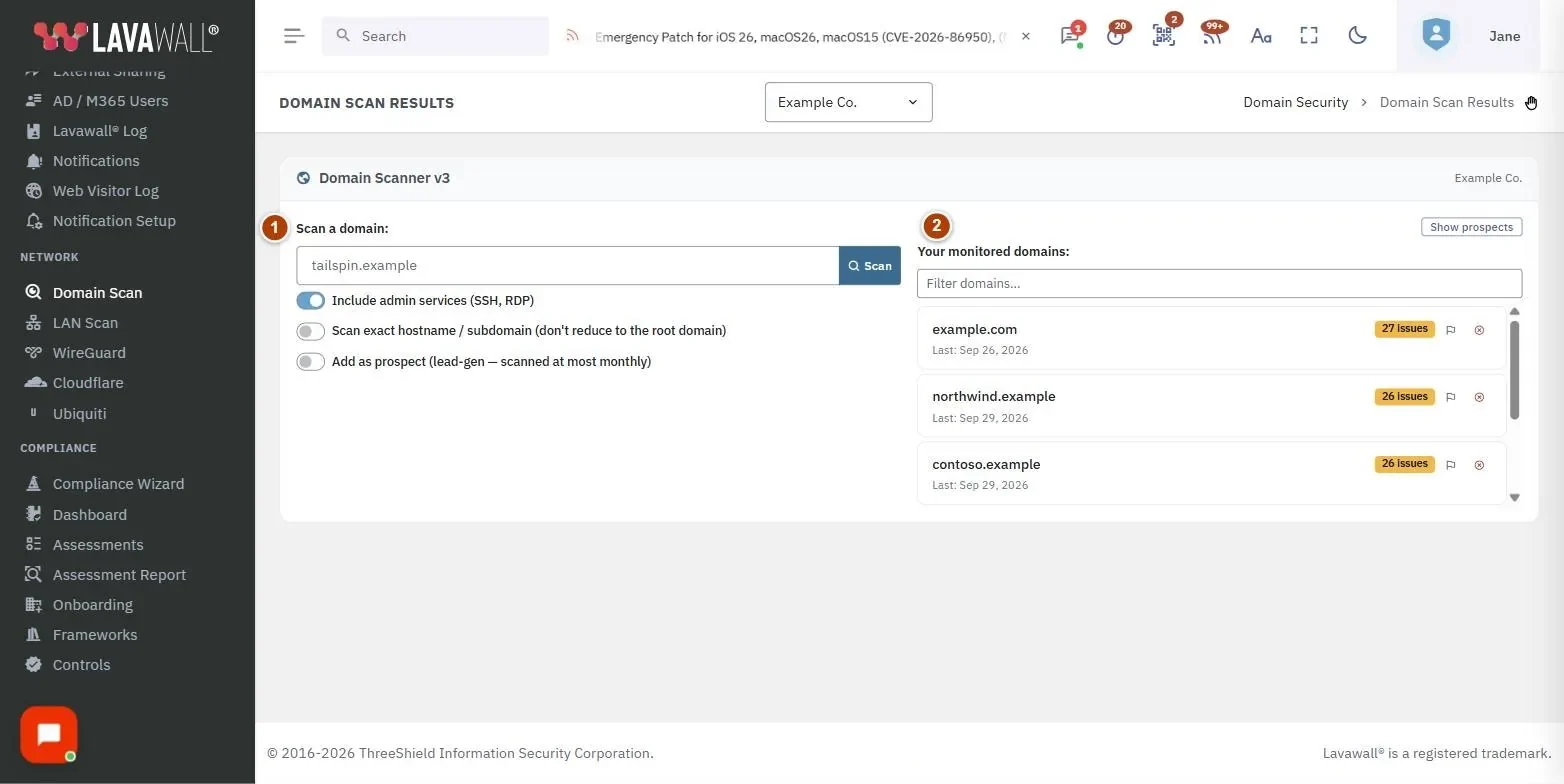
What the results look like
A real scan, shown with example data.
What to do after the scan
Fix it yourself
Start a free trial to re-scan on a schedule and get an alert when something changes.
Have an expert fix it
Find an MSP that uses Lavawall, or ask ThreeShield’s senior security team.
Run an MSP?
Put this scanner on your own website and turn visitors into conversations.
Plans
| Plan | What you get |
|---|---|
| Scout (free) | 2 domains, scans on demand, basic DMARC monitoring |
| Grow | 1 domain included, scheduled scans, alerts, PDF, Word and emailed reports |
| Professional | 5 domains included, same reporting |
| Complete | 25 domains included, same reporting, 25 branded prospect scans a month |
| Extra domains | C$15 / US$12 each per month |
| Domain Scanner Pro | C$49.00 / US$39.00 per month: 25 prospect scans a month, branded PDF reports, embeddable widget |
The embeddable widget is available once a payment method is on file. Prospect scans need the prospect’s permission. Prices as of 6 November 2026.
Frequently asked questions
Is the Lavawall domain security scan free?
Yes. Lavawall Scout scans 2 domains free, forever, with no credit card. Extra domains are C$15 / US$12 each per month, and paid plans include more: Grow 1, Professional 5 and Complete 25.
What does the Lavawall domain scan check?
Email authentication (SPF, DKIM and DMARC), TLS and certificates, DNS (DNSSEC and CAA), security headers, web application firewall presence, open ports and exposed services, exposed admin pages, subdomains, WordPress, WCAG accessibility, exposed AI services and whether the site's PHP version still gets security fixes.
Do I need to install anything to scan a domain?
No. The Lavawall domain scan looks from outside, without logging in or installing anything, and does not try to break in.
Can I scan any domain with Lavawall?
Scan only domains you own or have permission to assess. MSPs should get a prospect's permission before scanning their domain.
How often does Lavawall re-scan a domain?
On Scout you run a scan when you want one. Grow, Professional and Complete add scheduled scans, alerts when something changes, and PDF, Word and emailed reports.
Can an MSP put the Lavawall scanner on its own website?
Yes. The white-label scanner shows your phone number and links on the results. It is available once a payment method is on file, and Domain Scanner Pro adds branded PDF reports and 25 prospect scans a month.
Does the Lavawall domain scan check WordPress sites?
Yes. Lavawall finds outdated WordPress core, plugins and themes, plugin versions with publicly disclosed vulnerabilities, abandoned plugins, exposed admin pages and listable usernames, from outside the site.
What should I do after a domain scan?
Fix the high-risk findings first: email authentication, expired or weak TLS, and exposed services. Then turn on scheduled scans so you hear when something changes. If you would rather not fix it yourself, find an MSP that uses Lavawall in the MSP directory.